What Is Google Ads?
Google Ads is Google’s online advertising platform that allows businesses to promote products, services, websites, apps, and offers across Google Search, YouTube, websites, mobile apps, Maps, Gmail, and other Google advertising placements.
In simple words, Google Ads helps businesses reach people who may already be searching for a solution.
For example, if someone searches:
“digital marketing course in Noida Extension”
a digital marketing institute can run an advertisement for that exact type of search.
That makes Google Ads especially useful for businesses that want measurable traffic, leads, calls, bookings, or sales.
How Does Google Ads Work?
Google Ads mainly works by matching advertisers with users based on factors such as:
- Search intent
- Keywords
- Audience signals
- Location
- Device
- Campaign objective
- Ad relevance
- Landing-page experience
- Bidding strategy
The process can be understood in five simple steps.
Step 1: A User Searches
A person searches for something such as:
“Google Ads course near me”
Step 2: Relevant Advertisers Become Eligible
Google checks which campaigns are relevant to that search.
Step 3: Google Evaluates Ads
Google considers multiple signals before deciding which advertisements may appear.
These can include:
- Bid
- Ad quality
- Landing-page relevance
- Search context
- Expected performance
- Campaign settings
Step 4: The Ad Appears
The user may see a sponsored advertisement in the search results.
Step 5: The User Takes Action
The visitor may:
- Click the ad
- Call the business
- Submit a form
- Send a WhatsApp message
- Purchase a product
- Book an appointment
These valuable actions are called conversions.
Why Is Google Ads Important?
Google Ads is important because it allows businesses to reach users at different stages of the buying journey.
Compare these searches:
- what is digital marketing
- digital marketing course
- best digital marketing course near me
- digital marketing course fees
- digital marketing institute in Noida Extension
The first search shows learning intent.
The last three show stronger commercial intent.
Google Ads allows businesses to create campaigns around these different search behaviours.
Main Benefits of Google Ads
1. Immediate Visibility
SEO can take time to build.
Google Ads can help a business start appearing for relevant paid searches soon after campaign approval.
2. High-Intent Traffic
Search ads can reach people when they are actively looking for something.
3. Location Targeting
Businesses can focus ads on locations such as:
- Greater Noida West
- Noida Extension
- Greater Noida
- Noida
- Ghaziabad
- Delhi NCR
This is useful for local service businesses.
4. Budget Control
Advertisers can control:
- Daily budget
- Bidding method
- Location
- Schedule
- Audience
- Campaign duration
5. Performance Tracking
Google Ads can report:
- Impressions
- Clicks
- CTR
- CPC
- Conversions
- Cost per conversion
- Conversion value
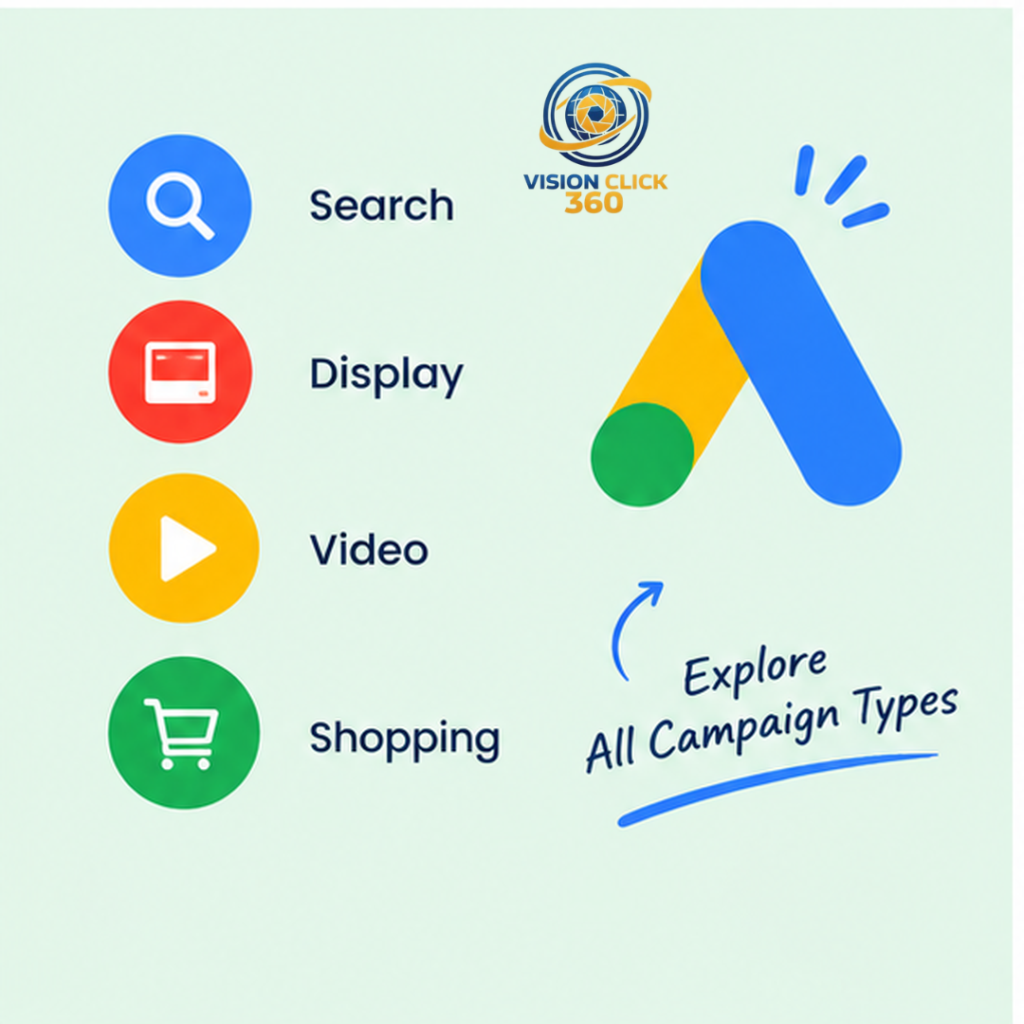
Main Types of Google Ads Campaigns
Google Ads supports different campaign types for different objectives.
| Campaign Type | Best Use |
| Search Campaign | Leads, calls, high-intent searches |
| Display Campaign | Awareness and remarketing |
| Performance Max | Cross-channel lead and sales campaigns |
| Video Campaign | YouTube promotion |
| Shopping Campaign | E-commerce products |
| Demand Gen | Visual discovery and demand creation |
| App Campaign | App installs and engagement |
What Is a Search Campaign?
A Search Campaign allows businesses to show text-based ads to people searching on Google.
Example keywords:
- digital marketing course near me
- Google Ads course Noida
- SEO institute Greater Noida West
- digital marketing classes in Noida Extension
Search Campaigns are especially useful when users already know what they want.
Search Campaign Structure
A basic campaign may look like this:
Campaign: Digital Marketing Course
Ad Group 1: Digital Marketing Course
Ad Group 2: Google Ads Training
Ad Group 3: SEO Training
Keeping ad groups tightly focused improves relevance and makes reporting easier.
What Is a Display Campaign?
A Display Campaign uses image-based or visual advertisements across websites, apps, and Google-supported placements.
Display advertising is useful for:
- Brand awareness
- Remarketing
- Event promotion
- Course promotion
- Product visibility
Example
Suppose a user visits a course page but does not submit a form.
A remarketing campaign can show that user an ad later while they browse another website.
Search vs Display Campaign
| Factor | Search Campaign | Display Campaign |
| Intent | Higher | Lower or discovery-based |
| Format | Text-led | Visual |
| Placement | Google Search | Websites and apps |
| Main Goal | Leads and sales | Awareness and remarketing |
Expert Tip
Do not choose a campaign type simply because it looks advanced.
Start with the business objective.
If the goal is direct enquiries from people already searching, Search may be more suitable.
If the goal is awareness or remarketing, Display may be more appropriate.
Common Beginner Mistakes
Avoid these common errors:
- Targeting too many unrelated keywords
- Sending every ad to the homepage
- Running ads without tracking conversions
- Selecting very broad locations
- Ignoring search terms
- Making campaign changes too frequently
Google Ads Campaign Setup, Keywords and Performance Max
After understanding the basics of Google Ads, the next step is learning how a campaign is planned and structured.
A successful campaign is not just about setting a budget and publishing an ad. It requires the right campaign type, keyword intent, targeting, ad copy, landing page, and conversion setup.
What Is Performance Max?
Performance Max is a goal-based Google Ads campaign type that uses Google’s automation to help advertisers reach potential customers across multiple Google advertising channels.
Depending on the campaign, ads may appear across areas such as:
- Google Search
- YouTube
- Display
- Gmail
- Maps
- Discover
Advertisers provide important inputs such as:
- Campaign goals
- Budget
- Headlines
- Descriptions
- Images
- Videos
- Audience signals
- Landing pages
- Conversion data
Google then uses these signals to decide where and how ads may be shown.
What Is an Asset Group?
An asset group is a collection of creative materials built around one clear theme, service, or product.
For example:
Asset Group 1: Digital Marketing Course
Asset Group 2: Google Ads Training
Asset Group 3: SEO Training
Each group may contain headlines, descriptions, images, logos, and video assets.
Expert Tip
Avoid combining unrelated services inside one asset group. Clear themes make campaigns easier to manage and evaluate.
What Are Keywords in Google Ads?
Keywords help connect Search ads with people looking for relevant products, services, or information.
For a digital marketing institute, possible keywords may include:
- digital marketing course near me
- Google Ads course in Noida
- digital marketing classes Greater Noida West
- digital marketing institute Noida Extension
However, keyword intent matters more than the keyword alone.
For example:
“what is Google Ads” shows informational intent.
“Google Ads course near me” shows stronger commercial or enrolment intent.
Campaign structure should reflect that difference.
Keyword Match Types
Broad Match
Broad match can show ads for searches related to the meaning of your keyword.
It offers wider reach but should be monitored carefully.
Phrase Match
Phrase match provides more control while still allowing relevant search variations.
Exact Match
Exact match focuses more closely on searches that strongly match the keyword’s meaning or intent.
What Are Negative Keywords?
Negative keywords help stop ads from appearing for searches that are not useful for the campaign.
For example, if you offer paid training, some searches may be irrelevant:
- free course
- free PDF
- free download
These terms can be reviewed as possible negative keywords.
Do not exclude words blindly. Always check whether a search could still produce a genuine lead.
What Are Responsive Search Ads?
Responsive Search Ads allow advertisers to add multiple headlines and descriptions.
Google can then combine them in different ways depending on the search.
A good ad should quickly answer:
- What do you offer?
- Who is it for?
- Why is it useful?
- What should the user do next?
Sample Headlines
- Learn Google Ads with Practical Training
- Digital Marketing Course in Noida Extension
- Learn SEO, PPC and Meta Ads
- Join Practical Digital Marketing Classes
- Enquire About the Next Batch
What Are Google Ads Assets?
Assets provide additional information with an advertisement.
Common assets include:
- Sitelinks
- Callouts
- Structured snippets
- Call assets
- Image assets
- Business information
Example sitelinks:
- Course Modules
- Batch Details
- Google Ads Training
- Contact Us
Step-by-Step Google Ads Campaign Setup
Step 1: Define the Goal
Start with one clear objective.
Examples:
- Generate leads
- Receive phone calls
- Increase sales
- Get bookings
- Drive website traffic
Without a clear goal, campaign optimization becomes difficult.
Step 2: Understand the Audience
Identify:
- Who the customer is
- What they need
- What they search
- Where they are located
- What action you want them to take
Step 3: Research Keywords
Separate keywords by intent.
High-intent examples:
- digital marketing course near me
- Google Ads training Noida
- digital marketing institute Greater Noida West
Research-based examples:
- best digital marketing course
- Google Ads course fees
- digital marketing career options
Step 4: Choose the Campaign Type
Select the format according to the goal.
Search Campaign: Useful for active demand.
Display Campaign: Useful for awareness and remarketing.
Performance Max: Useful when broader cross-channel reach is relevant.
Step 5: Set Location Targeting
A local business should target only the areas it can serve properly.
Relevant locations may include:
- Greater Noida West
- Noida Extension
- Greater Noida
- Noida
- Ghaziabad
- Delhi NCR
Avoid targeting a large region without a business reason.
Step 6: Set a Practical Budget
Choose a budget that allows the campaign to collect meaningful data.
Do not judge performance after only a few clicks.
Also avoid frequent stopping, restarting, or major daily changes.
Step 7: Match the Ad With Search Intent
Use this simple flow:
Search Query → Advertisement → Landing Page
Example:
Search: Google Ads course in Noida
Ad: Practical Google Ads Training in Noida
Landing Page: Dedicated training or course page
This creates a consistent user journey.
Step 8: Improve the Landing Page
A strong landing page should include:
- Clear headline
- Benefits
- Relevant course or service information
- Trust elements
- Contact form
- Phone button
- WhatsApp button
- Testimonials
- FAQs
- Mobile-friendly design
Step 9: Set Up Conversion Tracking
Track meaningful actions such as:
- Form submissions
- Calls
- WhatsApp enquiries
- Purchases
- Registrations
- Appointments
Without conversion data, campaign performance is difficult to measure accurately.
Step 10: Review and Optimize
After launch, monitor:
- Search terms
- CTR
- CPC
- Conversions
- Cost per lead
- Location performance
- Landing-page performance
- Lead quality
Do not optimize only for clicks. Focus on business results.
Important Google Ads Metrics
CPC: Average cost paid for a click.
CTR: Percentage of impressions that result in clicks.
Formula:
Clicks ÷ Impressions × 100
Conversion Rate: Percentage of users completing the desired action.
CPA: Cost paid to generate one conversion.
ROAS: Revenue earned compared with advertising spend where revenue tracking is available.
Common Campaign Setup Mistakes
Avoid:
- Mixing unrelated keywords
- Targeting too many locations
- Sending all traffic to the homepage
- Using weak ad copy
- Ignoring negative keywords
- Running ads without tracking
- Making frequent unnecessary changes
- Focusing only on clicks
Conversion Tracking, GTM, Optimization and Case Study
What Is Conversion Tracking?
Conversion Tracking measures valuable actions users complete after interacting with an advertisement.
A conversion can be:
- Form submission
- Phone call
- WhatsApp enquiry
- Purchase
- Appointment
- Registration
- Download
Clicks tell you that someone visited.
Conversions tell you whether the advertising produced a useful outcome.
Why Conversion Tracking Matters
Suppose two campaigns spend the same amount.
Campaign A
100 clicks
₹5,000 spent
0 recorded leads
Campaign B
60 clicks
₹5,000 spent
8 qualified leads
Without Conversion Tracking, both campaigns may look similar because both generated traffic.
With proper tracking, Campaign B clearly created more business value.
What Is Google Tag Manager?
Google Tag Manager, or GTM, is a tag-management tool that helps marketers configure and manage tracking without editing website code manually for every event.
It can be used for:
- Google Ads conversions
- GA4 events
- Form submissions
- Phone clicks
- WhatsApp clicks
- Button interactions
Basic Google Ads Conversion Setup with GTM
Step 1
Create the conversion action inside Google Ads.
Step 2
Copy the Conversion ID.
Step 3
Copy the Conversion Label.
Step 4
Open Google Tag Manager.
Step 5
Create a Google Ads Conversion Tracking tag.
Step 6
Enter the Conversion ID and Conversion Label.
Step 7
Create the correct trigger.
Step 8
Use Preview mode.
Step 9
Test the action.
Step 10
Publish only after testing.
Example: Thank-You Page Tracking
If users reach:
/thank-you/
after submitting a form, you can configure a page-view trigger for that URL.
Example: Phone Click Tracking
Track clicks on links beginning with:
tel:
Example: WhatsApp Click Tracking
Create a click trigger based on the WhatsApp link or specific button.
Common Tracking Errors
Check for:
- Wrong trigger
- Wrong Conversion ID
- Wrong Conversion Label
- Duplicate firing
- Conversion firing on every page
- Incorrect primary goal
- Test submissions counted as real leads
Google Ads Best Practices
1. Optimize for Valuable Actions
Do not make every small interaction a primary conversion.
2. Review Search Terms
Search terms show what people actually typed before seeing or clicking the ad.
Use them to find:
- New keywords
- Irrelevant searches
- Negative keyword opportunities
3. Review Location Performance
For local businesses, check whether leads are coming from the right areas.
4. Match the Landing Page to the Search
If the ad is for a Google Ads course, do not send the user to a generic homepage.
5. Measure Lead Quality
Ten irrelevant leads are not necessarily better than three high-quality leads.
Google Ads Tools Every Marketer Should Know
Google Ads
For campaign setup, optimization, reporting, and bidding.
Google Keyword Planner
For keyword discovery and planning.
Google Analytics
For website behaviour and channel analysis.
Google Tag Manager
For tracking and event setup.
Google Search Console
For organic search insights.
Looker Studio
For dashboards and reporting.
PageSpeed Insights
For landing-page speed and performance analysis.
Practical Case Study Example
Imagine a local service business running Google Ads.
The campaign receives clicks but no enquiries.
The owner may assume:
“Google Ads is not working.”
However, the real problems may be different.
Audit Findings
- Keywords are too broad
- Search terms are irrelevant
- Location is too wide
- Landing page is weak
- Phone clicks are not tracked
- Form tracking is incorrect
- Ads promote too many services
Optimization Plan
- Refine keywords.
- Add negative keywords.
- Narrow location targeting.
- Split services into separate ad groups.
- Improve ad messaging.
- Improve the landing page.
- Track form, phone, and WhatsApp actions.
- Review lead quality weekly.
The key lesson is:
A Google Ads problem is not always a bidding problem.
It can be a targeting, tracking, landing-page, or offer problem.
Google Ads Optimization Checklist
Before evaluating your campaign, confirm:
- Objective is clear
- Campaign type is correct
- Conversion tracking works
- Location targeting is correct
- Keywords match user intent
- Negative keywords are reviewed
- Ads are relevant
- Assets are added
- Landing page loads correctly
- Mobile design works
- Phone CTA works
- WhatsApp CTA works
- Form submission works
- Thank-you page works
- GTM tags are tested
- Search terms are reviewed
- Lead quality is monitored
Expert Tips
Understand the Customer First
Before asking:
“Which bidding strategy should I use?”
ask:
“What does my customer actually want?”
Tracking Comes Before Optimization
Bad tracking creates bad optimization decisions.
Separate Advertising Metrics from Business Metrics
Advertising metrics include:
- CPC
- CTR
- Impressions
Business metrics include:
- Qualified leads
- Sales
- Revenue
- Customer acquisition cost
Both are important, but business outcomes should guide final decisions.
Common Google Ads Mistakes
Avoid:
- Running ads without Conversion Tracking
- Targeting irrelevant cities
- Using broad keywords without review
- Ignoring search terms
- Sending traffic to weak pages
- Optimizing only for clicks
- Making daily major changes
- Tracking low-value actions as main conversions
Interview Questions, Career Roadmap, FAQs and SEO Checklist
Google Ads Interview Questions
1. What Is Google Ads?
Google Ads is Google’s online advertising platform used by businesses to promote products and services across Search, YouTube, websites, apps, and other Google advertising properties.
2. What Is CPC?
CPC means Cost Per Click.
It shows how much an advertiser pays for a click.
3. What Is CTR?
CTR means Click-Through Rate.
Formula:
Clicks ÷ Impressions × 100
4. What Is a Negative Keyword?
A negative keyword helps prevent ads from appearing for irrelevant searches.
5. What Is Performance Max?
Performance Max is a goal-based campaign type that can use automation across multiple Google advertising channels.
6. Why Is Conversion Tracking Important?
It tells you whether your ads generate valuable actions such as calls, leads, registrations, or sales.
7. What Is Google Tag Manager?
Google Tag Manager is a tool used to manage website tags, triggers, and tracking events.
8. Search vs Display Campaign?
Search Campaigns target active search intent.
Display Campaigns focus more on visual reach, awareness, and remarketing.
9. What Would You Check If You Get Clicks But No Leads?
Check:
- Search terms
- Keywords
- Location
- Conversion tracking
- Landing page
- Form
- Phone CTA
- WhatsApp CTA
- Mobile experience
- Search intent
Google Ads Resume Tips
Avoid writing only:
Knowledge of Google Ads
Instead, show practical skills.
Better Resume Points
- Created Search Campaign structures using keyword intent.
- Conducted keyword research and search-term analysis.
- Configured conversion events using Google Tag Manager.
- Created lead-generation landing-page recommendations.
- Analysed CPC, CTR, conversion rate, and cost per lead.
- Used negative keywords to reduce irrelevant traffic.
- Practised Search, Display, and Performance Max campaign concepts.
Never claim results you did not achieve.
Google Ads Career Roadmap
Stage 1: Learn Fundamentals
Understand:
- CPC
- CTR
- CPA
- ROAS
- Keywords
- Search intent
- Match types
- Campaign structure
Stage 2: Learn Search Campaigns
Practice:
- Keyword research
- Ad groups
- Search ads
- Assets
- Negative keywords
- Search terms
Stage 3: Learn Tracking
Understand:
- Google Tag Manager
- GA4
- Thank-you pages
- Phone tracking
- WhatsApp tracking
- Form tracking
Stage 4: Learn Other Campaign Types
Study:
- Display Campaign
- Performance Max
- Video
- Shopping
- Demand Gen
Stage 5: Learn Optimization
Learn to analyse:
- Conversion cost
- Lead quality
- Location
- Devices
- Search terms
- Landing pages
Stage 6: Build a Portfolio
Create sample projects showing:
- Keyword plans
- Ad copy
- Campaign structure
- GTM setup
- Tracking plan
- Landing-page recommendations
Future of Google Ads
Google Ads is becoming more automation-driven.
Marketers should therefore focus more on:
- Measurement
- Creative strategy
- First-party data
- Conversion quality
- Landing pages
- Business understanding
- Campaign inputs
- Data interpretation
AI can support campaign execution, but it cannot correct poor tracking, a weak offer, or a confusing landing page automatically.
FAQs
What is Google Ads in simple words?
Google Ads is a paid advertising platform that helps businesses reach people across Google Search, YouTube, apps, websites, Maps, and other placements. Advertisers set goals, budgets, targeting, and advertisements, while Google determines when the ads are eligible to appear.
Is Google Ads good for small businesses?
Yes, Google Ads can be useful for small businesses when targeting and tracking are properly configured. Local companies can focus on specific cities or service areas instead of advertising everywhere.
What is the difference between Google Ads and SEO?
Google Ads provides paid visibility, while SEO focuses on organic rankings. Google Ads can help generate traffic quickly, whereas SEO usually builds visibility gradually.
What is Conversion Tracking?
Conversion Tracking measures valuable actions generated from advertising, such as calls, leads, purchases, forms, or registrations.
Can beginners learn Google Ads without coding?
Yes. Coding is not required for most campaign work. However, basic understanding of websites, tracking, URLs, and GTM is helpful.
Is Google Ads a good career skill?
Yes. Google Ads is useful for paid media, performance marketing, freelancing, agency work, and lead-generation roles.
How should beginners practise Google Ads?
Start with keyword research, Search Campaign structure, ad writing, conversion tracking, Google Tag Manager, and landing-page analysis.
Conclusion
Understanding what is Google Ads means understanding more than paid clicks.
A complete Google Ads strategy includes:
- Keywords
- Search intent
- Campaign structure
- Ad messaging
- Landing pages
- Conversion Tracking
- Google Tag Manager
- Analytics
- Optimization
- Business goals
The best campaigns connect the right audience with the right message and then measure the actions that matter.
CTA
Learn Google Ads Practically with VisionClick 360
VisionClick 360 provides practical digital marketing training for students, freelancers, job seekers, professionals, business owners, and entrepreneurs across Greater Noida West, Noida Extension, Greater Noida, Noida, Ghaziabad, and Delhi NCR.
Training can include:
- Digital Marketing Course
- Google Ads
- SEO
- Meta Ads
- Google Tag Manager
- Conversion Tracking
- Website Development
- Social Media Marketing
- Lead Generation
VisionClick 360 also offers:
- SEO Services
- Google Ads Services
- Meta Ads
- Website Development
- Social Media Marketing
Visit VisionClick360.com to explore training and marketing services.